hello@synaryverse.com
How to Create Video Ads with AI: The Complete AI Video Ad Production Guide

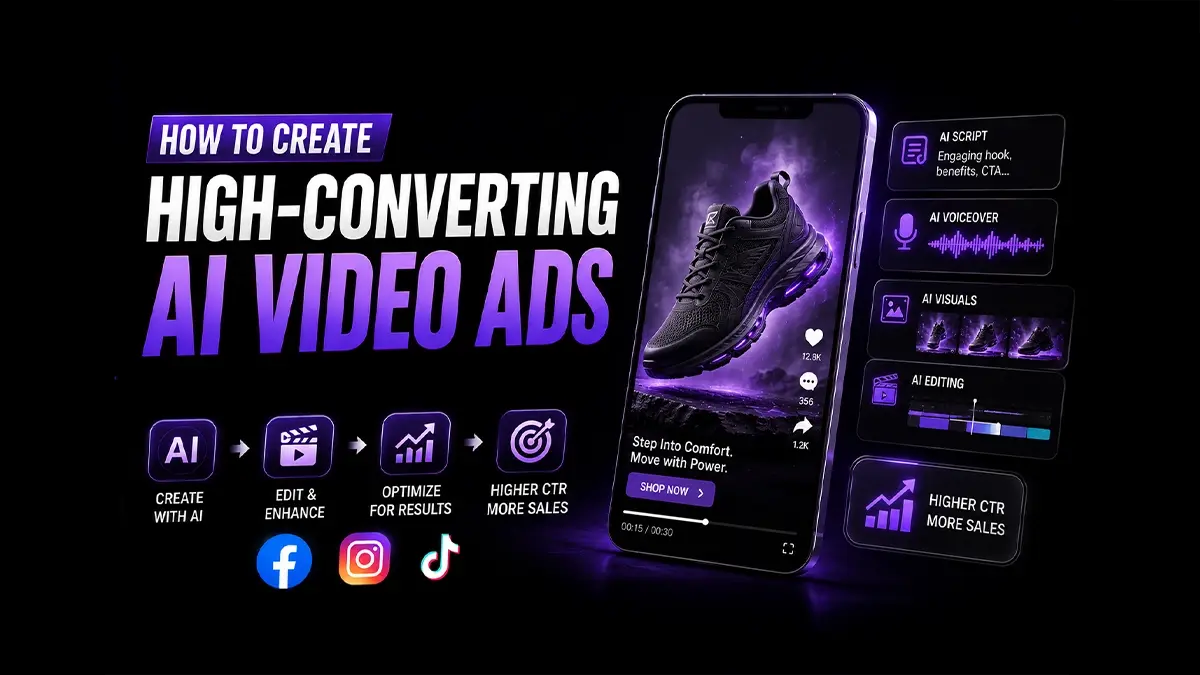
AI Video Ad is the latest, most efficient, and comparatively less time-consuming, provided it is used responsibly and with an appropriate strategy. The real advantage of AI Video Ads is not fully automated creativity. It is the ability to create multiple versions of an ad, test, and refine it, without the need for a full traditional production setup for every variation.
To unleash its full potential, AI video ad production requires far more than simply inserting a prompt in an AI video generator. It involves an entire process of audience research, campaign strategy, persuasive messaging, visual planning, brand oversight, editing, and performance testing.
To create video ads with AI, there should be a structured process: define your campaign objective, research the audience, write a focused script, storyboard each scene, generate the required visual and audio assets, assemble and edit the video, review it for accuracy and brand consistency, and test multiple versions using real advertising data.
What Is AI Video Ad Production?
AI video ad production is the end-to-end process of planning, creating, editing, distributing, and optimizing advertising videos using artificial intelligence. It covers the entire ecosystem around an AI video generator that includes:
Campaign and audience strategy
Scriptwriting and storyboarding
AI image, voice, avatar, and video generation
Human-led editing and quality control
Platform adaptation
Creative testing and optimization
On the other hand, traditional video production typically involves physical shoots, locations, actors, lighting, crews, and longer post-production cycles. AI production can reduce or replace some of those requirements, making rapid experimentation more practical. However, the best approach depends on the campaign. Our guide to AI video ads vs traditional video ads explains where each production model provides greater value.
Step 1 – Plan Your AI Video Advertising Strategy
Successful AI advertising begins before anything is generated. Like every successful campaign, AI ads also require planning and strategy to ensure a clearer production process.
Define Campaign Goals
Decide whether the ad needs to generate awareness, product consideration, leads, app installs, purchases, or retargeting conversions.
The objective affects nearly every creative decision. A brand-awareness video may prioritize recognition and emotional storytelling. A conversion ad usually needs a stronger problem-solution structure, clearer product proof, and a direct call to action.
Choose measurable indicators before production begins, such as watch time, click-through rate, cost per lead, conversion rate, or return on ad spend.
Understand Your Audience
Avoid writing for a broad demographic alone. Identify the situation in which the customer needs the product, the objection preventing action, and the language the customer uses to describe the problem.
Customer reviews, sales conversations, support tickets, search queries, social comments, and previous campaign data can reveal stronger messaging than generic AI-generated personas.
Create a Creative Brief
A concise creative brief should document:
Campaign goal and target audience
Customer problem or desire
Primary value proposition
Supporting proof
Offer and call to action
Brand voice
Required duration and format
Visual references
Claims or topics that must be avoided
This document keeps AI prompts, human contributors, and final outputs aligned.
Step 2 – Build the AI Video Ad
Write the Script
Begin with the message, not the visuals. Most performance-focused scripts need four components:
Hook: Give viewers an immediate reason to continue watching.
Problem or desire: Show that the brand understands the audience’s situation.
Solution and proof: Introduce the product, explain its value, and support the promise with a demonstration, result, testimonial, or differentiator.
Call to action: Tell viewers exactly what to do next.
AI script-writing tools can generate hooks, shorten copy, adapt messaging, and create variations. Human review remains essential. Remove vague language, unsupported claims, repetitive phrases, and exaggerated promises.
Create the Storyboard
A storyboard translates the script into a sequence of scenes. It should identify:
What appears on screen
Voiceover or dialogue
On-screen text
Product demonstrations
Camera movement or animation
Transitions
Branding
Call-to-action placement
Planning the structure first prevents the common mistake of generating attractive but disconnected clips.
Use AI for initial scene concepts, shot lists, and visual references. Use human judgment to control pacing, emotional progression, visual hierarchy, and whether each shot strengthens the message.
Generate Images, Avatars, and Voiceovers
Depending on the concept, AI tools can produce product environments, illustrated scenes, presenters, synthetic voiceovers, background elements, or lifestyle visuals.
AI avatars are useful for explainers, localized campaigns, product demonstrations, and spokesperson-style content. For native social concepts, AI UGC video ads can recreate the direct, conversational structure associated with creator-led advertising.
Every generated asset should be inspected carefully. Check:
Facial expressions and lip synchronization
Hands, text, packaging, and product details
Pronunciation and voice pacing
Logo accuracy
Cultural appropriateness
Commercial usage rights
Factual and product accuracy
Human-led photography, animation, or filming should replace AI when authenticity is central to the offer, the product must be represented precisely, or the generated output feels emotionally artificial.
Produce the Video
Import the approved assets into an AI video generator or editing environment. Assemble the scenes, synchronize voice and motion, add text overlays, sound design, captions, branding, and transitions.
Different AI video ad generators specialize in different tasks. Some are better for avatar videos, while others focus on text-to-video generation, animation, repurposing, or automated editing. A professional workflow may combine several tools rather than relying on one platform.
Use this production checklist before approving the first cut:
The opening communicates value immediately
The product or offer is easy to understand
Every scene supports the central message
Visuals accurately represent the product
Branding is recognizable but not intrusive
Captions are readable on mobile
Music and voice levels are balanced
Claims are verified
The call to action is clear
Source files and usage rights are documented
Step 3 – Edit, Review, and Optimize
Brand Review
Review the finished ad against the brand guidelines. Confirm that colors, typography, logo usage, terminology, tone, product details, and visual style remain consistent.
AI hallucinations can introduce incorrect labels, unusual product features, distorted logos, or invented facts. Frame-by-frame review is therefore necessary, especially for regulated products, technical services, or ads containing specific performance claims.
Platform Optimization
Do not publish one identical export everywhere.
Meta recommends vertical or square creative - particularly 9:16 for Stories and Reels - and advises using captions or on-screen text so the message remains understandable in different viewing environments.
TikTok emphasizes platform-native, entertaining creative with a strong narrative, useful takeaway, full-screen presentation, and consistent messaging between the ad and its landing page.
YouTube supports horizontal, vertical, and square video assets. Its creative framework focuses on Attention, Branding, Connection, and Direction: capture attention, establish the brand, build relevance, and make the next action clear.
These adjustments help turn a generic asset into high-converting AI video ads designed for the context in which they appear.
Creative Testing
Publishing is the start of optimization, not the end.
Create controlled variations of:
Hooks
Opening visuals
Presenters or avatars
Offers
Product benefits
Video length
Calls to action
Social proof
Voiceovers
Test one major variable at a time where possible. Compare results using meaningful business metrics rather than views alone. A visually polished ad may generate attention but fail to attract qualified clicks or conversions.
Use performance data to update future scripts, storyboards, and prompts. This feedback loop is where AI-assisted production delivers its greatest scaling advantage.
Common AI Video Ad Production Mistakes
One common mistake is allowing the tool to determine the creative strategy. AI can produce content quickly, but it does not automatically understand the most persuasive customer insight.
Other frequent problems include:
Starting without a defined objective
Using generic scripts and predictable hooks
Generating unrelated scenes before storyboarding
Misrepresenting the physical product
Publishing inaccurate AI-generated text
Overusing synthetic avatars
Ignoring brand guidelines
Creating one format for every platform
Making unsupported performance claims
Testing too few creative variations
Creative quality should not be measured by how “AI-generated” or cinematic an ad looks. It should be measured by clarity, relevance, credibility, brand fit, and campaign performance.
Should You Use AI Tools or an AI Video Ads Agency?
DIY tools are suitable for simple videos and businesses with internal creative expertise. Freelancers can provide specialized execution. An agency is generally better when production requires campaign strategy, multiple creative disciplines, brand governance, and continuous testing.
Professional AI Video Ads services are most valuable when a business needs more than an isolated video. An experienced AI agency can build repeatable production systems, maintain brand consistency, develop multiple creative concepts, and connect production decisions to advertising results.
Final Thoughts
The ability to create video ads with AI does not eliminate the need for creative expertise. It changes how that expertise is applied.
The strongest workflow combines strategic planning, human insight, AI-assisted asset creation, skilled editing, platform-specific optimization, and continuous testing. Synaryverse helps businesses bring these elements together through scalable creative production and broader AI Services designed around practical marketing outcomes.
AI can accelerate production. Strategy, judgment, and optimization are what turn that speed into effective advertising.
FAQs
How do you create video ads with AI?
+
Start by defining your campaign goal and audience, then write a script, generate visuals with an AI video tool, add voice overs, music, captions, and branding, and review the final video before publishing.
Do I need video editing experience to create AI video ads?
+
No. Most AI video platforms are designed for beginners and use templates, prompts, and drag-and-drop editors, making it easy to create professional-looking ads without advanced editing skills.
What makes an AI video ad effective?
+
A successful AI video ad starts with a strong hook, clear messaging, engaging visuals, consistent branding, and a compelling call to action. Testing multiple versions also helps improve performance.
How long does it take to create a video ad with AI?
+
Simple AI video ads can often be produced in minutes, while more polished ads with custom scripts, branding, and editing may take a few hours. This is significantly faster than traditional video production.
Can AI create professional-quality video ads?
+
Yes. Modern AI tools can produce high-quality video ads suitable for social media, ecommerce, and digital advertising. For the best results, combine AI-generated content with human creativity, brand review, and optimization before publishing.