 hello@synaryverse.com
How WordPress SEO Experts Improve Rankings Through Technical SEO

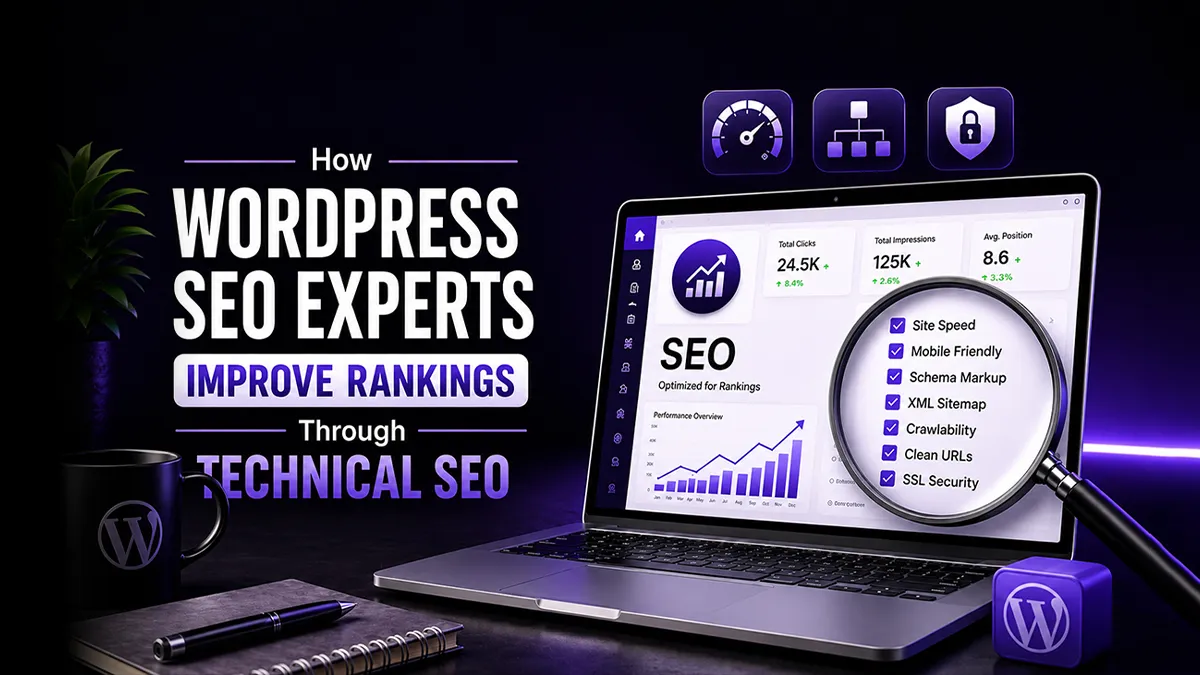
WordPress is the most widely used website platform, powering over 40% of the internet. This common use alone does not guarantee visibility. An irresponsibly structured website and a lack of the necessary technical tweaks can all be true when using this platform.
This is where you need a WordPress SEO Expert who understands the ‘behind-the-scenes’ and can optimize the platform’s technical setup and overall performance for search engine visibility.
What Does a WordPress SEO Expert Do?
WordPress SEO Experts have a deep understanding of both search engine optimization and the technical structure of WordPress websites. This diversified, in-depth understanding sets them apart from general SEO professionals, who may primarily focus on keywords, backlinks, content strategy, and reporting.
The experts know how themes, plugins, page builders, hosting environments, database structure, and development decisions affect search visibility. This matters because WordPress websites often have platform-specific SEO issues that can limit rankings even when the content is strong. For example:
Slow theme
Excessive plugins
Poor permalink settings
Duplicate archive pages
Unoptimized images
Weak internal linking
Incorrect indexation settings
The role of a WordPress SEO expert is to identify the technical barriers and create a practical roadmap for improvement. While a general SEO professional may identify that a website is slow or not indexing properly, a skilled WordPress SEO consultant can dig down and identify what’s causing the issue.
In simple terms, WordPress SEO experts help search engines understand the website better while helping users experience it more smoothly. Their work connects technical SEO, website performance, and search visibility into one growth-focused strategy.
Technical SEO Factors That Have the Biggest Impact on WordPress Rankings
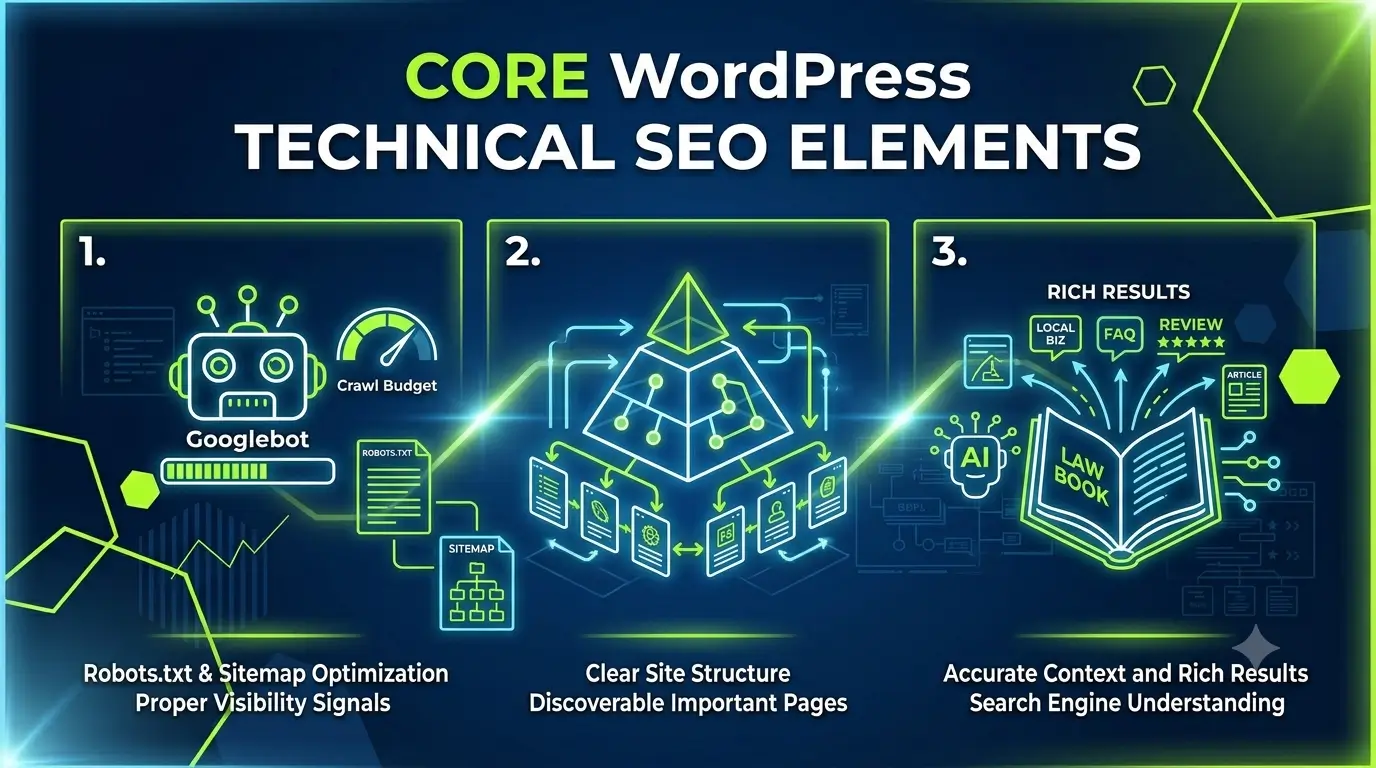
While content and user experience (UX) work at the forefront of a website, technical SEO works at the backend to ensure that search engines and AI systems can crawl, render, index, and rank it. For WordPress websites, this is especially important because plugins, themes, hosting, and development choices can either support SEO or quietly damage it.
SEO plugins cannot fully solve the issues that have a ranking and performance impact. Therefore, an experienced WordPress SEO expert is needed who knows how to look beyond plugin dashboards and diagnose the root cause of ranking problems.
Crawlability and Indexation
Crawlability refers to how easily search engine crawlers, like Googlebot, can access website pages. Indexation refers to whether those pages can be stored and shown in search results.
A WordPress technical SEO service focuses on enabling site access, using accurate plugins, and ensuring search engines receive proper visibility signals. This includes:
Reviewing Robots.txt files to signal crawlers which pages to visit and which to avoid.
Configuring XML sitemap structure to guide search engines through your website.
Using Canonical tags and managing Duplicate pages to tell crawlers which version of a page is the ‘master’ and prevent search engines from wasting crawl budget or penalizing sites for plagiarism.
Applying noindex settings to prevent specific pages from appearing in SERPS.
Implementing redirect chains and fixing broken links to improve user experience and ensure that crawlers can navigate through your website.
Structuring content that is divided into a series of consecutive pages through pagination to ensure search engines understand the sequential relationship and properly index the content.
The goal is simple: search engines should spend more time crawling valuable pages and less time crawling low-value or duplicate URLs.
Internal Linking and Website Architecture
Internal linking helps search engines understand the relationship between pages. It also helps users move naturally from one topic or service to another. A strong internal linking system improves WordPress search visibility by making important pages easier to discover.
Site architecture refers to how pages are organized across the website. A clear navigation structure helps both users and search engines understand what the business offers. For example, a company offering SEO, web development, branding, and AI services should not bury important service pages several clicks deep. Good architecture makes the website easier to crawl, easier to use, and easier to scale.
Schema Markup and Structured Data
Schema markup is structured data added to a website to help search engines understand page content more clearly. It can support rich results for FAQs, articles, services, local businesses, reviews, products, events, and more.
For WordPress websites, schema can be added through plugins or custom development. However, plugin-generated schema is not always accurate. Sometimes it is duplicated, missing key fields, or applied to the wrong page type.
Schema does not guarantee rankings, but it improves clarity. It gives search engines a stronger context about who you are, what your page is about, and how the information should be understood.
How Website Development Supports Technical SEO
Website development plays a major role in SEO before optimization even begins. Many ranking problems are created during the design and development stage, long before a business starts looking for a WordPress SEO consultant.
A clean development process supports fast loading, scalable architecture, mobile responsiveness, secure code, and conversion-focused user experience.
SEO-Friendly Website Architecture
SEO-friendly architecture starts with information architecture, navigation, site structure, and content hierarchy. When website development and SEO work together, the site structure is planned around business goals and search demand. Service pages, blogs, case studies, and landing pages are not treated as random sections. They are organized to support visibility, authority, and conversions.
For businesses planning a new website or restructuring an existing one, professional development services can help ensure the foundation is built correctly from the start.
Technical Performance and User Experience
Technical performance and user experience are closely connected. A website that loads slowly, shifts on mobile, or feels difficult to navigate creates frustration for users and weak signals for search engines.
Good WordPress web development includes performance optimization, mobile responsiveness, clean code, secure functionality, and smooth UX. Considering web development that are built around usability, speed, and long-term scalability can improve performance.
Landing Pages That Support Search Visibility
Landing pages are not only conversion assets. They can also support search visibility when built with a clear structure, relevant content, fast performance, and strong internal links. A well-developed landing page should include a focused headline, helpful content, trust signals, clear calls to action, mobile-friendly design, and clean technical implementation.
Professional landing page design services can help businesses create pages that support both search rankings and conversions.
Why Ongoing WordPress Maintenance Matters for SEO
WordPress maintenance is the ongoing process of keeping a website secure, up to date, functional, and optimized. Many businesses treat maintenance as a technical afterthought, but it is directly connected to SEO performance.
A website can lose rankings over time if plugins become outdated, pages break, redirects fail, forms stop working, malware appears, or performance declines. Search engines prefer websites that remain accessible, secure, and reliable.
For this reason, a WordPress maintenance checklist should be part of every long-term SEO strategy.
WordPress Maintenance Checklist
A practical WordPress maintenance checklist should include:
Plugin updates
Theme updates
WordPress core updates
Security checks
Malware scans
Backup verification
Broken link monitoring
Sitemap validation
Redirect checks
Core Web Vitals review
Page speed testing
Mobile usability checks
Form testing
Database cleanup
Uptime monitoring
This checklist helps protect both the website’s technical health and search visibility. It also reduces the risk of small issues becoming major performance problems.
Security, Updates, and Performance Monitoring
Security and performance are important SEO factors because they affect trust, accessibility, and user experience. If a WordPress website is hacked, infected with malware, or frequently down, search visibility can suffer.
WordPress maintenance services help prevent these problems through regular updates, security monitoring, malware protection, backups, and website uptime checks.
When Businesses Need Professional WordPress SEO Services
Not every business needs a large SEO team from day one. Some small websites can manage basic SEO with plugins, good content, and simple optimization. However, as a website grows, technical issues become more complex.
Businesses usually need professional WordPress SEO services when rankings are stuck, traffic is declining, pages are not being indexed, the website is slow, or plugin-based SEO is no longer enough.
Signs You Need Expert Support
You may need an SEO company for WordPress sites if:
Your website is slow despite using caching plugins.
Important pages are not ranking or indexing.
Organic traffic has declined without a clear reason.
Your site has duplicate pages or crawl issues.
You are planning a redesign or migration.
Your website relies heavily on plugins.
Your content is strong, but your rankings are weak.
You need technical SEO and development support together.
Enterprise WordPress SEO Challenges
Enterprise WordPress SEO services are often needed when websites have hundreds or thousands of pages, multiple stakeholders, complex integrations, custom development, multilingual content, or large-scale publishing workflows.
Enterprise websites require stronger governance. Technical SEO decisions must align with development, content, UX, analytics, and business strategy. Without that coordination, rankings can be affected by slow approvals, inconsistent templates, duplicate content, or technical debt.
Choosing the Right SEO Partner
The right SEO partner should understand WordPress, technical SEO, content strategy, analytics, and development. They should be able to explain what is wrong, why it matters, and how each recommendation supports search visibility or business growth.
Build a Stronger WordPress Website With Synaryverse
Technical SEO works best when your website is built, maintained, and optimized with search performance in mind. Synaryverse helps businesses strengthen their digital foundation through development, landing pages, and performance-focused website solutions designed to support long-term visibility and growth.
FAQs
What is WordPress technical SEO?
+
WordPress technical SEO is the process of optimizing a WordPress website’s technical structure so that search engines can crawl, index, and rank it properly. It includes speed optimization, sitemap setup, schema markup, mobile performance, internal linking, and indexation control.
Why is technical SEO important for WordPress?
+
Technical SEO is important for WordPress because themes, plugins, hosting, and site structure can directly affect rankings. Even strong content may struggle if the website is slow, difficult to crawl, or poorly organized.
How often should WordPress websites be audited?
+
WordPress websites should usually be audited at least every three to six months. Larger websites, enterprise sites, or websites with frequent publishing should be reviewed more often to catch technical issues early.
Does website maintenance affect SEO?
+
Yes, website maintenance affects SEO because updates, security, uptime, broken links, and performance all influence website health. A poorly maintained WordPress site can lose visibility if technical problems are ignored.
When should a business hire a WordPress SEO company?
+
A business should hire a WordPress SEO company when technical issues, ranking drops, slow performance, or website growth challenges become difficult to manage internally. Professional support is especially useful for complex, competitive, or enterprise WordPress websites.

